 Pie
PieSharing controls
Choose what to share and who sees it. Check which item you’re changing: an account, a total, a transaction list, or a post.
Your sharing choices
- Friends: Friends on Pie can see the information covered by this control.
- Only me: This control hides that information from friends.
For income and spending, choosing Only me on a total or transaction list does not turn off Partner Sharing. Your significant other can still see what you share with them through those separate settings.
Change what you share
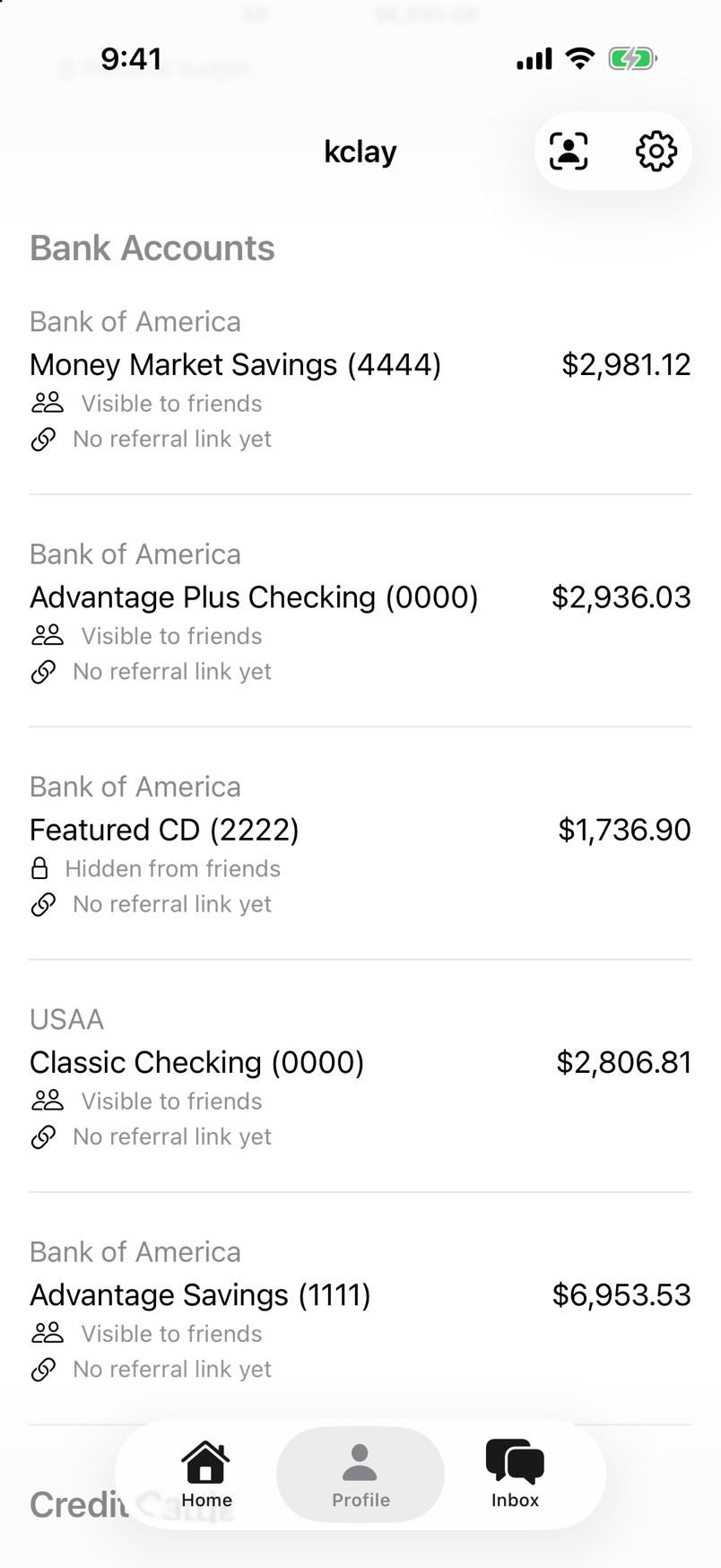
- Open the Profile tab.
- Find an account balance, income total, or spending total. Tap its Visible to friends or Hidden from friends label.
- Choose Friends to share that item, or Only me to hide it from friends.
Tap an income or spending total to open its transaction list. The list’s sharing label appears when the total is set to Friends. You can share a total while keeping the list Only me. Hiding the total also hides its list from friends.
For an account balance, Friends makes it visible to friends and your significant other. Only me hides it from both and leaves that account’s activity out of the income and spending they see. Partner Sharing controls income and spending separately.
To change what your significant other sees, open the Profile gear, then Privacy & Safety → Partner Sharing. Turn Income or Spending on to share its total and transactions, or off to stop sharing it with your partner. Each of you controls your own sharing.
Account details, such as interest rates, have their own Show terms on posts switch.
Check what others see
-
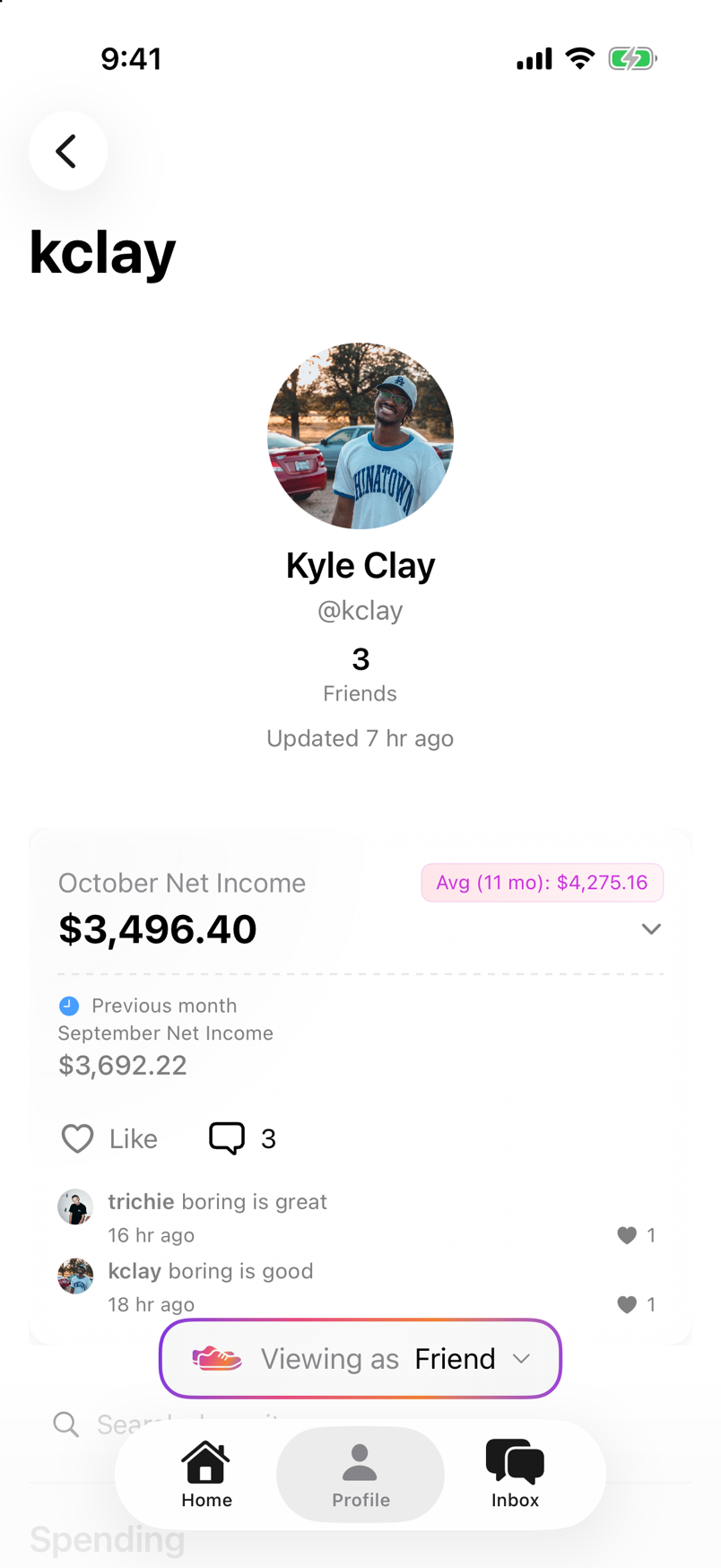
On the Profile tab, tap the viewfinder icon for View profile as friend.
-
Open the Viewing as menu:
- Choose Friend to see your Profile as a friend sees it.
- Choose Partner to see your Profile as your significant other sees it. Partner appears when you have a connected significant other.
-
Check the visible information, then return to your Profile to change a sharing control.
Review your posts
From Home, tap the pancake icon for Your posts. Or open the Profile gear, then Privacy & Safety → Your Posts.
On posts with a sharing badge, tap it to change the audience. A post marked Hidden from friends is also hidden from your significant other.
This guide describes Pie app version 1.0.4.